Simple text feels boring & makes your instagram presence unprofessional. Make your bio aesthetic & professional with our instagram fonts generator tool. Completely free, no sign-up required.
About Instagram Fonts
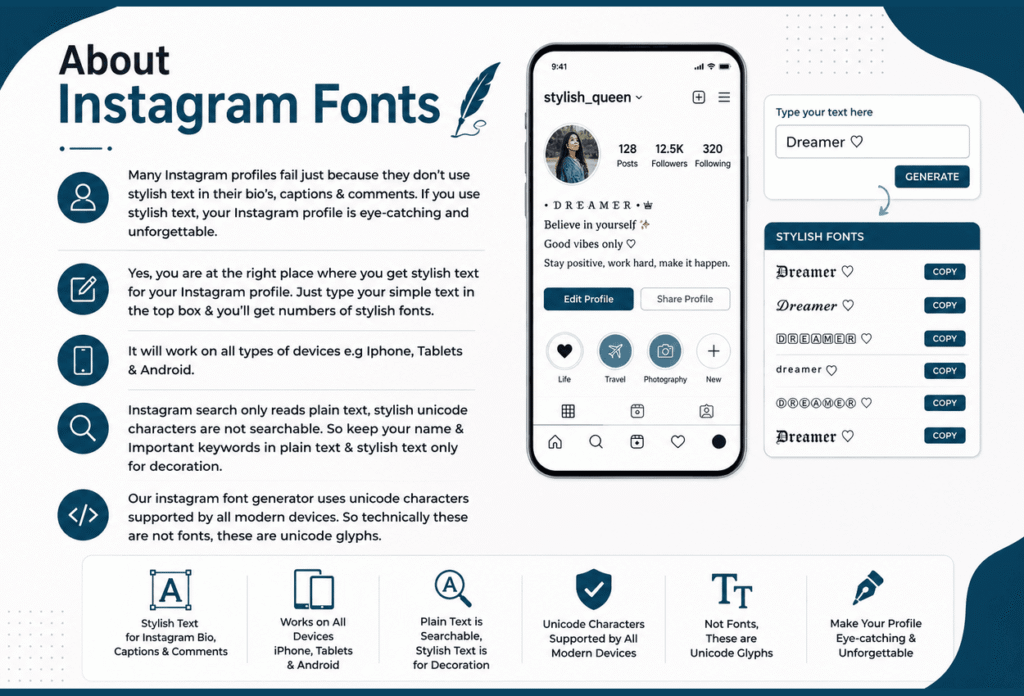
Many instagram profiles fail just because they don’t use stylish text in their bio’s, captions & comments. If you use stylish text, your Instagram profile is eye-catching and unforgettable. Yes, you are at the right place where you get stylish text for your Instagram profile. Just type your simple text in the top box & you’ll get numbers of stylish fonts. It will work on all types of devices e.g Iphone, Tablets & Android.
Instagram search only reads plain text, stylish unicode characters are not searchable. So keep your name & Important keywords in plain text & stylish text only for decoration. Our instagram font generator uses unicode characters supported by all modern devices. So technically these are not fonts, these are unicode glyphs.
About Unicode
Instagram font generator contains unicode characters, supported by all modern devices. Unicode characters support all types of devices e.g Mac, iphone, Android & Windows. Unicode characters work on all platforms like instagram, facebook, twitter, whatsapp & tiktok.
Computers display text using unicode characters. It contains 154,998 different characters from every language of the world. If you type “cool” in italic, it substitutes every letter with a mathematically bold unicode character. Unicode characters are actual characters that are copy & paste on all platforms.
How to Use Instagram Font Generator?
Instagram font generator is completely free, there are no hidden charges or any app required. Here are three simple steps to follow:
Step 1
Type your text at the top box.
Step 2
Copy your desired text.
Step 3
Paste it where you want.
Premium Instagram Fonts
Bold
Bold text is thicker than the standard text, highlighting important words, used for headlines, phrases, book titles etc.
Italic
Italic font makes letters little to the right, used for emphasis, foreign words, legal cases, books, movies, tv etc.
Cursive
Cursive font looks like Human handwriting, makes an aesthetic look, used for greeting cards, invitations, formal documents, product packaging logos etc.
Gothic
Gothic fonts have dense spacing, sharp stroke & dense letterforms, used for ceremonies, tattoos, social media, web designing etc.
Monospace
Monospace is a computer font, has limited graphical capabilities, and uses typewriters. Used for creating tables and calendars, and also used in facebook, twitter/X, sms etc.
Double struck
Double struck/blackboard bold or open-face makes bold characters on a blackboard, also used in social media, gaming, typography & mathematics.
Decorative Bold
Decorative bold font is heavy weight, highly stylized used to grab attention, mostly used in greeting cards, headlines, titles & logos etc.
Sans-Serif
‘sans’ means ‘without’, sans-serif is a category of typefaces, used in mobile apps, websites, tech companies and body text.
Elegant Script
Elegant script is a style of typeface that has a touch of human writing & natural touch, used for wedding invitations, book titles, display & trade printing etc.
Soft Aesthetic
Soft aesthetic font used unicode characters, it gives an ambiance vibe,used in tiktok,facebook,discord, instagram & gaming bio’s.
Instagram Bio Font Styles Tips & Tricks
The first thing that people notice is your bio, Neat & simple fonts create profile aesthetic & beautiful. Clean bold, aesthetic & italic fonts are best for bio’s because they are eye-catching & makes your account professional. Some characters may not work properly, because Instagram has blocked some characters for bio’s. Some other platforms have also blocked some characters, so copy & paste from our stylish platform & check the availability, whether the font is working properly or not.
Always match text style with your brand or business, don’t mix styles, use maximum two fonts. People visit your profile when it looks professional & your conversion rate increases. Update your profile at time, so your profile always looks fresh. Use emojis with styled text.
You can change your display name, Username can’t change. Your display name is always eye-catching & readable. Most styles look great on pc, but look rough on mobile screens. Always check your name on the phone before finalizing it. Keep CTA clear and readable, tell your audience what to do, mention everything professionally.
Character Limits
1. Always keep characters under 150 for bio’s.
2. Maximum limits are 30 characters, including, letters, underscores and numbers.
3. Maximum character limits are 2,200, including space, emojis & line breaks.
Do i Need to Download Instagram Fonts?
You don’t need to download instagram fonts. It’s completely free, no hidden charges or premium features. It contains unicode characters, which works better than any other downloadable method. Just copy & paste in your Social media bio’s & other platforms.
Most Used Instagram Fonts Styles
Here are some popular Instagram Fonts:
Aesthetic & Bold Styles
Nowadays mostly people use aesthetic, minimal small caps, decorative symbol text & bold styles for their Instagram bios, captions & highlights because they are easy to read.
Fraktur, Double Struck & VaporWave
These decorative styles are mostly used for stories & reels because they grab people’s attention quickly.
Glitch Text
Glitch text is mostly used for Instagram posts — these are exclusive & playful.
Strikethrough Text
These styles are mostly used for comments & messages because they are elegant.
Platform Compatibility
These Instagram fonts are used in Facebook, Tiktok, Twitter/X, Discord & Whatsapp. These fonts are supported by all modern devices like iOS, Android & PC;s because they contain unicode characters. Most people edit their Instagram bio on a computer because it is easy to type and see everything on a bigger screen. The fonts look the same after you paste them.
Why People Use Instagram Fonts
People use Instagram fonts because first impressions matter a lot. Instagram profiles take only a few seconds to convince people to follow you. Make important parts of your content stand out by using Instagram fonts. It really matters which font you are using at what place. Some fonts are easy to read, while others are bold and better for titles and headings.
Difference Between Instagram Fonts & Regular Fonts
| Feature | Regular Fonts | Instagram Fonts |
|---|---|---|
| Where they work | Word, Photoshop, and other design apps | Instagram, TikTok, Twitter/X, WhatsApp, and almost any app |
| How they’re made | Font files installed on your device (Arial, Times New Roman, etc.) | Unicode characters (Mathematical Alphanumeric Symbols) that look like styled letters |
| Copy-paste behavior | Formatting is lost; text turns plain the moment you paste it elsewhere | Style travels with the text because each letter is its own character |
| Tools needed | Word, Photoshop, Canva, or similar design software | A free online Instagram fonts generator — no software required |
| Speed | Can take 20-30 minutes to design and export as an image | Takes seconds: type, pick a style, copy, paste |
| Best used for | Posters, banners, flyers, printed material | Instagram bios, captions, stories, comments, and DMs |
| Device compatibility | Depends on whether the font is installed on the viewer’s device | Works on virtually any modern phone, tablet, or computer |
| Limitations | Cannot be used directly inside social media text fields | Instagram occasionally blocks a few unusual Unicode styles (like heavy glitch text) |
How to Style Your Instagram Captions?
How to Pick the Right Style from an Instagram Text Generator?
Always choose the style which matches your aesthetics or vibe. Match the style with your purpose, paste your bios, captions or name into the input box, and browse through all the styles to check which styles match your purpose. Use simple, readable fonts for your bio, and save bold or fancy styles for highlighting key words in captions. Check that your font text generator shows a mobile preview, since some fonts may not display on older phones.
How to Use Instagram Name & Username Fonts?
Instagram lets you style your profile name, but instagram usernames only allow letters, numbers, periods, and underscores. So always keep your username simple and use your profile name for visual branding. Before finalizing, always check how it looks, because styles can look different there. Even with a plain username, a styled profile name and bio can still make your profile look professional.
How to Use Instagram Reels and Highlights Fonts?
Styled text in your Reel captions and highlights grabs attention before people even press play, styled captions get more shares than plain text. Bold or block styles work best because they need to stand out against moving video. Keep your style consistent with your feed and bio, since that visual match builds trust and creates your profile look professional. For highlight covers specifically, keep the text neat and clean.
How to Use Instagram Story Fonts?
Instagram only gives a few story default fonts, so using instagram font generator helps you stand out from the crowd. Just copy your simple text into Instagram’s text generator, no apps or downloads needed, and it works the same on iOS and Android. Always use high-contrast styles, like light text on a dark background, because these read better and get saved and watched more than plain or overly decorative text.
Does Instagram Fonts impact your Engagement?
Instagram fonts don’t directly influence the algorithm, but yes they do shape how people respond to your content.
● Styled texts get noticed faster in a crowded feed.
● People spend more time reading when the text catches their eye.
● Well-styled content sees more interaction, like comments and shares.
● Even small readability improvements can make a profile look more polished overall.
Tips to make your Instagram bio impactful
● Keep it short and to the point
● Stick to 1-2 font styles
● Add spacing or symbols for a clean look
● Focus on readability above all
Instagram Font Do’s
● Stick to 1-2 font styles for a neat look
● Pick fonts that are easy to read for your bio
● Match your font style with your profile’s overall theme
Instagram Font Don’t
● Mix too many different fonts together
● Use hard-to-read decorative text in key sections
● Depend only on fonts, good content still matters most
Results & Insights
Unique & Professional Look
When people see something unique & professional, they visit your profile instantly.
Stand Out & Grow Faster
When your profile looks different from others, your followers also increase.
Boost Your Algorithm
For a better engagement rate, always use style captions — it impacts positively on your Instagram’s algorithm.
Conclusion
Whether you are styling your Instagram bio, captions & comments, our Instagram fonts generator is best. Use stylish text for clear visibility & make your profile valuable. It’s easy, no sign-up & no hidden charges, just copy & paste across all platforms.
Frequently Asked Questions
Instagram fonts generator is an online tool that converts your simple text into stylish. Just copy your favourite style & paste it into bios, captions, comments & reels.
Yes, these fonts are just unicode characters & safe to use.
Some platforms don’t support unicode characters, that’s why some fonts don’t work.
Yes, you can use these fonts across all platforms.
Yes, our platform is completely free, no hidden charges & no sign-up needed.
Explore More Fonts
Cute Fonts
Cursive Fonts
Gothic Fonts
Freakty Fonts
Small Fonts
Calligraphy Fonts
Italic Fonts
Bold Fonts
Inverted Text Generator Preppy Fonts
Text Decorator
Number Fonts
Twitter/X Fonts
Facebook Fonts
Snapchat Fonts
Roblox Fonts
Free Fire Fonts
