Plain text feels boring, enhance your roblox game experience with our roblox font generator. Choose the style and copy paste wide library of styles to customize you name in roblox game.
About Roblox Fonts?
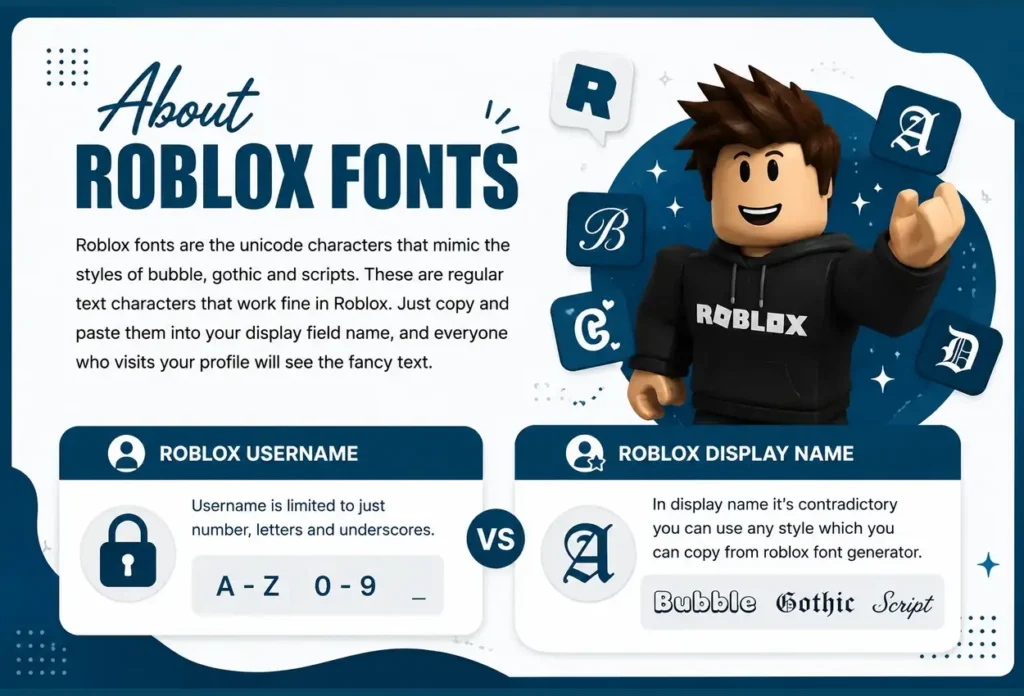
Roblox fonts are the unicode characters that mimic the styles of bubble, gothic and scripts. These are regular text characters that work fine in Roblox. Just copy and paste them into your display field name, and everyone who visits your profile will see the fancy text. There is a difference between roblox username and roblox display name. Username is limited to just number, letters and underscores, while in display name it’s contradictory you can use any style which you can copy from roblox font generator.
How to Use This Roblox Font Generator
Step 1
Type your text into the input box.
Step 2
Choose your favourite style.
Step 3
Copy, then paste the text into your desired place.
Difference between Roblox Username & Display Name
Many players think a Roblox username and display name are the same, but they aren’t.
Roblox Username vs. Display Name
Username
● Your unique Roblox account name.
● Used to log in to your account.
● No one else can use the same username or access your account with it.
● Only letters, numbers, and underscores are allowed.
● Stylish Unicode fonts do not work in usernames.
● Roblox will reject fancy text if you try to use it as your username.
Display Name
● The name other players see above your character.
● Also appears on your profile and in friend lists.
● Supports stylish Unicode fonts and special characters.
● You can copy and paste fancy text from this generator.
● Can be changed for free.
● Roblox lets you change your display name once every 7 days.
If you want a stylish Roblox name. Use it in your Display Name, not your Username.
300+ Roblox Font Styles which You can Copy paste
Choose from hundreds of Roblox font styles to create a unique display name. Whether you want something cute, bold, aesthetic, or dark, you’ll find a style that fits your personality.
Cute Roblox Fonts
ᶜᵘᵗᵉ: Small, soft, and adorable. Always better for players who love a sweet and playful look.
Ⓑⓤⓑⓑⓛⓔ: Fun and colorful with circled letters that instantly grab attention.
Aesthetic Roblox Fonts
ᵃᵉˢᵗʰᵉᵗⁱᶜ: A clean, trendy style that’s popular for modern Roblox profiles.
𝓢𝓬𝓻𝓲𝓹𝓽: Elegant handwritten letters for a stylish and creative display name.
Cool & Bold Roblox Fonts
𝗕𝗼𝗹𝗱 𝗦𝗮𝗻𝘀: Thick, clean letters that are easy to read and stand out.
𝘽𝙤𝙡𝙙 𝙄𝙩𝙖𝙡𝙞𝙘: Bold with a stylish slant for a confident look.
Dark & Gothic Roblox Fonts
𝔊𝔬𝔱𝔥𝔦𝔠: Classic Old English letters that give your name a mysterious feel.
𝕯𝖆𝖗𝖐: A heavier gothic style that’s perfect for dark-themed usernames.
Small Roblox Fonts
ᴍᴀʟʟ ᴄᴀᴘ: Simple, clean, and easy to read in every game.
ᵐⁱⁿⁱᵐᵃˡ : Tiny letters with a modern look that make your display name unique.
Old Roblox Font (Classic Style)
Did Roblox Have Old Fonts?
The original Roblox logo (used from 2004 to 2016) wasn’t created with a public font. It was a custom design with bold, rounded letters that became part of Roblox’s classic style.
Best Font for the Classic Roblox Look
If you want a similar style today, use Cublox. It’s one of the most similar free fonts to the old Roblox logo and works better for fan art, thumbnails, and personal projects.
When Did Roblox Change Its Logo?
In 2017, Roblox introduced a new logo with a cleaner, modern design. The famous tilted square “O” became the brand’s signature look.
How to Recreate the Old Roblox Style?
Use Cublox for graphics, posters, or thumbnails. In Roblox Studio, use it with retro-style fonts for a classic feel. For your Roblox Display Name, try bold, bubble, or pixel-style Unicode fonts to capture the old-school Roblox vibe.
Roblox Bypass Fonts Explained
Many players search for “Roblox bypass fonts,” but this term is often misunderstood.
What Is a Roblox Bypass Font?
A bypass font is simply Unicode text that looks different from normal letters. These characters can make your text appear bold, italic, script, or decorative while still being readable. Some players use Unicode fonts to make their messages or display names look more stylish and unique. Others believe they can avoid Roblox’s chat filter, but Roblox regularly updates its moderation system.
Roblox’s chat filter is constantly changing, so there is no font that works every time. Text that appears today may be filtered tomorrow. Unicode fonts are great for adding style to your display name, profile, or other creative text. However, they should not be used to avoid Roblox’s safety rules or community guidelines.
Violating those rules can result in your message being filtered or your account being moderated. Use the Roblox font generator above to create stylish Unicode text. Simply copy your favorite font and paste it into places where Roblox supports Unicode characters, such as your Display Name.
How to Change Roblox Fonts
There are two ways to change how text will look in Roblox. The right method depends on what you want to edit or customize.
| Method 1: Use a Stylish Display Name This is the easiest option and works for everyone. 1. Enter your name in the Roblox font generator above. 2. Choose your favorite font style. 3. Copy the text. 4. Open Roblox then Profile then Edit Display. 5. Paste the styled text and save your changes. Your new display name will be visible to other players wherever Roblox supports display names. | Method 2: Change the Game Interface (PC Only) If you want to change the font in your own Roblox client, some Windows users use third-party tools such as Bloxstrap. 1. Lets you customize how Roblox looks on your computer. 2. Changes are client-side, so only you can see them. 3. It does not change your display name or what other players see. |
Popular Roblox Fonts
Forsaken Font
Forsaken has a dark horror style with rough, distressed lettering. For fan art or thumbnails, gothic or horror-inspired fonts create a similar look.
Doors Font
Doors uses a simple, clean sans-serif font on dark backgrounds. Fonts like Roboto or Open Sans give a similar modern appearance.
Difference between roblox and regular fonts?
| Regular fonts | Roblox fonts (Unicode) | |
|---|---|---|
| Works in display name? | No | YesDisplay name accepts Unicode, but Roblox’s content filter can still reject some styles |
| Works in username field? | No | NoUsername is locked to 3–20 letters, numbers, and underscores only |
| Need to install/download? | Yes | NoIt’s plain Unicode text, not a font file |
| Copy paste ready? | No | Yes |
| Works on mobile? | Limited | YesRenders the same since it’s just text, not a real font |
| Works in Discord too? | No | YesSame Unicode logic works cross-platform |
| How often can it change? | No limit | Every 7 daysRoblox display name cooldown between changes |
| Free? | Varies | AlwaysNo Robux required |
Note: Roblox filters display names by its Community Standards, so not every Unicode style is guaranteed to save.
Frequently Asked Questions
Roblox fonts are simply unicode character styles inspired by gothic, scripts and bubble fonts.
Gamers can choose their own font style inside the name, on the other hand in roblox ui they use gotham font.
Yes you can use fancy fonts in roblox display name but in username there is limitation for stylish names, you can only use letter, number and underscore in username.
A Roblox display name can be up to 20 characters long. Some stylish Unicode fonts may use extra character space, even if they look short.
Some stylish Unicode characters aren’t supported by Roblox. If your text appears as empty boxes, question marks, or doesn’t display correctly, try a different font style. Simple Unicode fonts usually work better across Roblox.
Explore More Fonts
Cute Fonts
Cursive Fonts
Gothic Fonts
Freakty Fonts
Small Fonts
Calligraphy Fonts
Italic Fonts
Bold Fonts
Inverted Text Generator Preppy Fonts
Number Fonts
Twitter/X Fonts
Facebook Fonts
Snapchat Fonts
Free Fire Fonts
